
Free CISD Indicator Settings and Swing Sweep Guide
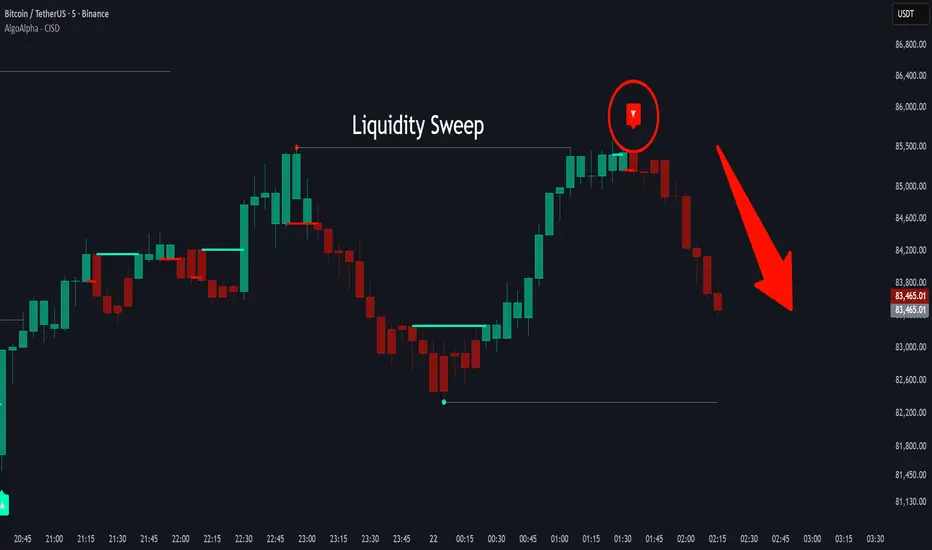
Marks failed pushes followed by a strong counter-move, with a separate marker when the shift follows a recent swing sweep.
Free, open-source Pine Script by AlgoAlpha. TradingView account and plan limits apply.
Inputs to start with
- Swing Period · 12 by default
- Controls how wide a pivot must be before it contributes a swing level. Larger values focus on longer swings.
- Noise Filter
- Controls which counter-moves qualify for a CISD label. Compare two values while leaving the swing period unchanged.
- Liquidity Lookback
- Sets the lookback for the prior opposing liquidity sweep used in a stronger setup. It affects which confirmed shifts also get a sweep-related label.
Try it on a chart
Mark a previous swing low, then note whether price trades through it before moving upward. Advance one bar at a time and record when the origin line actually appears. Compare the number of bars between crossing, counter-move and confirmation. That timeline makes it easier to reproduce the setup on another chart.
What to check. The swing period and noise filter affect when a setup qualifies. Step through bars to see when confirmation actually arrives.