
How to Use Liquidity Sweep Filter on TradingView
Tracks moves through swing highs and lows, then uses trend and volume to distinguish which sweeps the script highlights.
Free, open-source Pine Script by AlgoAlpha. TradingView account and plan limits apply.
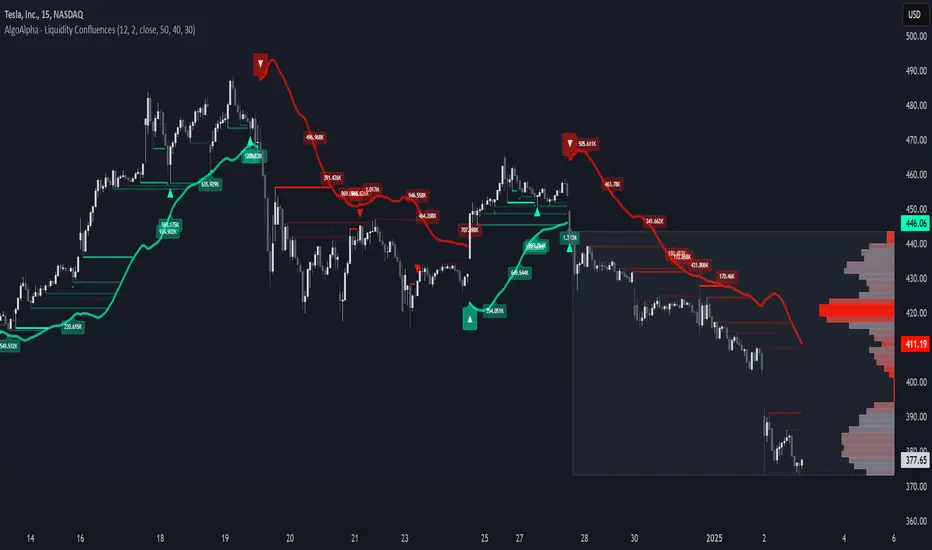
Inputs to start with
- Length and Multiplier
- Set the lookback and band width for the trend calculation. Hold these steady while comparing major and minor sweep labels.
- Major Sweep Threshold
- Changes how the indicator classifies a major sweep. Record the threshold with screenshots so two sessions can be compared.
- Show Volume Profile
- Toggle the price-level volume view on after checking the sweep markers alone. This makes it easier to see which information each layer adds.
Try it on a chart
Choose a prior swing high and advance Replay from before price crosses it. Record the highest price, the first close after the crossing and when the sweep label appears. Compare a wick-through that closes back below the level with a close above it. A sweep label describes a price pattern under the script’s rules.
What to check. Sweep labels are price-and-volume inferences. They cannot confirm that specific orders or liquidations occurred.