
Supertrended RSI Settings for TradingView
Applies SuperTrend to RSI itself and plots the oscillator, its moving average, and the trend state in one pane.
Free, open-source Pine Script by AlgoAlpha. TradingView account and plan limits apply.
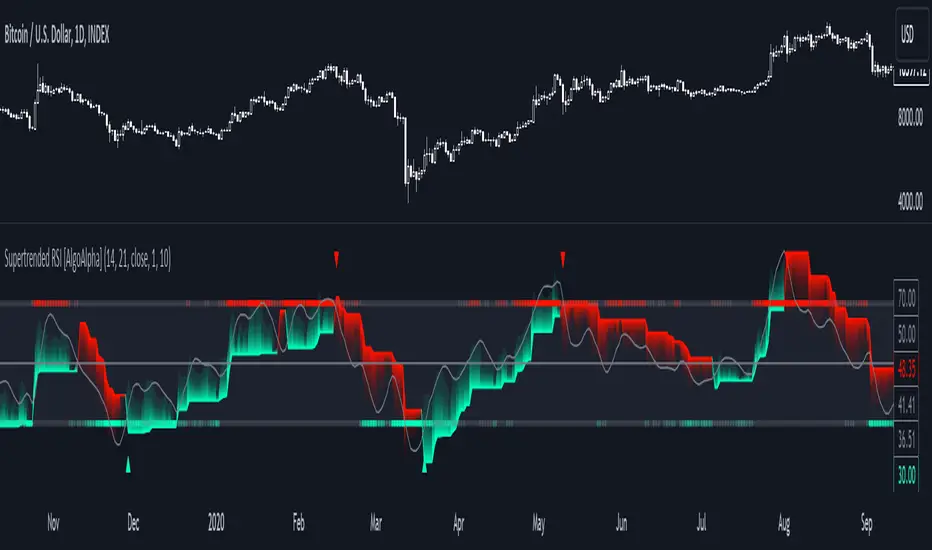
Inputs to start with
- RSI Length · 14 by default
- Sets the number of periods used for RSI. Keep RSI Source constant when comparing shorter and longer windows.
- Smooth RSI? and RSI Smoothing Length
- Enable smoothing to reduce small swings in the oscillator. The smoothing length affects the result only when smoothing is enabled.
- Factor and ATR Length
- These controls shape the SuperTrend applied to the RSI pane. They change the trend state of the oscillator and are separate from the visible RSI moving average settings.
Try it on a chart
Start with a chart where RSI spends several bars above 70. Log the first threshold crossing and the first SuperTrend state change separately. Repeat on a range with several quick crosses. Compare the number and timing of changes before choosing whether you want a smoother view.
What to check. RSI can remain elevated or depressed through a sustained move. Smoothing and trend inputs change when the state flips.