
Free Trend Targets Indicator and ATR Settings
A smoothed SuperTrend with pullback markers and volatility-based target levels plotted directly on price.
Free, open-source Pine Script by AlgoAlpha. TradingView account and plan limits apply.
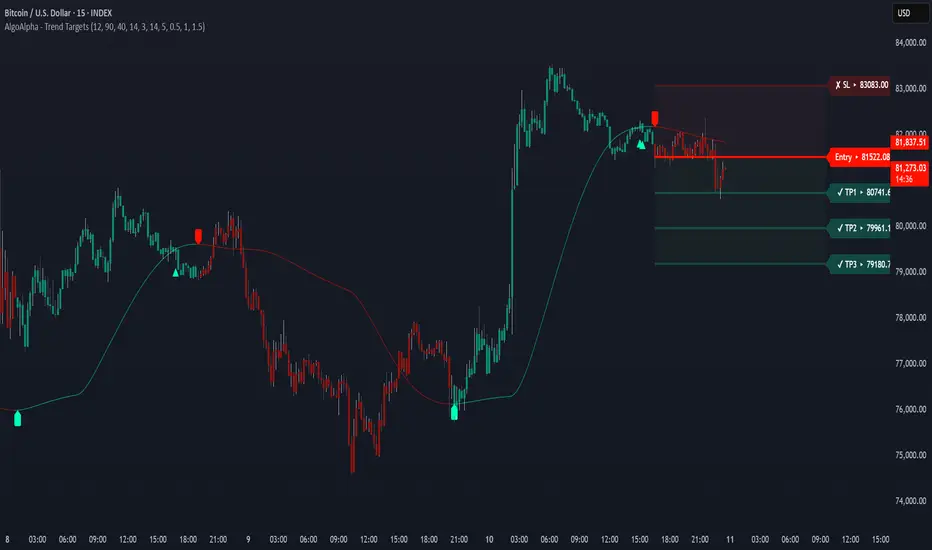
Inputs to start with
- Supertrend Factor and Supertrend ATR Period
- Set the band sensitivity for the trend overlay. Keep the WMA and EMA lengths fixed when comparing one trend setting.
- Confirmation count
- Changes how many candles contribute to rejection confirmation. Compare the first visible mark, since the setup can start earlier than its confirmation.
- Volatility (ATR) period and Stop Loss ATR Multiplier
- Set the volatility measure and the distance used for the plotted stop reference. The three target multipliers scale the projected levels from that reference distance.
Try it on a chart
Pick a pullback where price approaches the trend line. Record the first closed candle with a rejection mark and copy the projected levels as they appear. Advance five bars and log which levels traded within the candle range and whether a new setup replaced them. Treat the plotted distances as observations, with order execution assessed separately.
What to check. Smoothing can delay a trend flip. Projected levels are calculated distances that price may never reach.